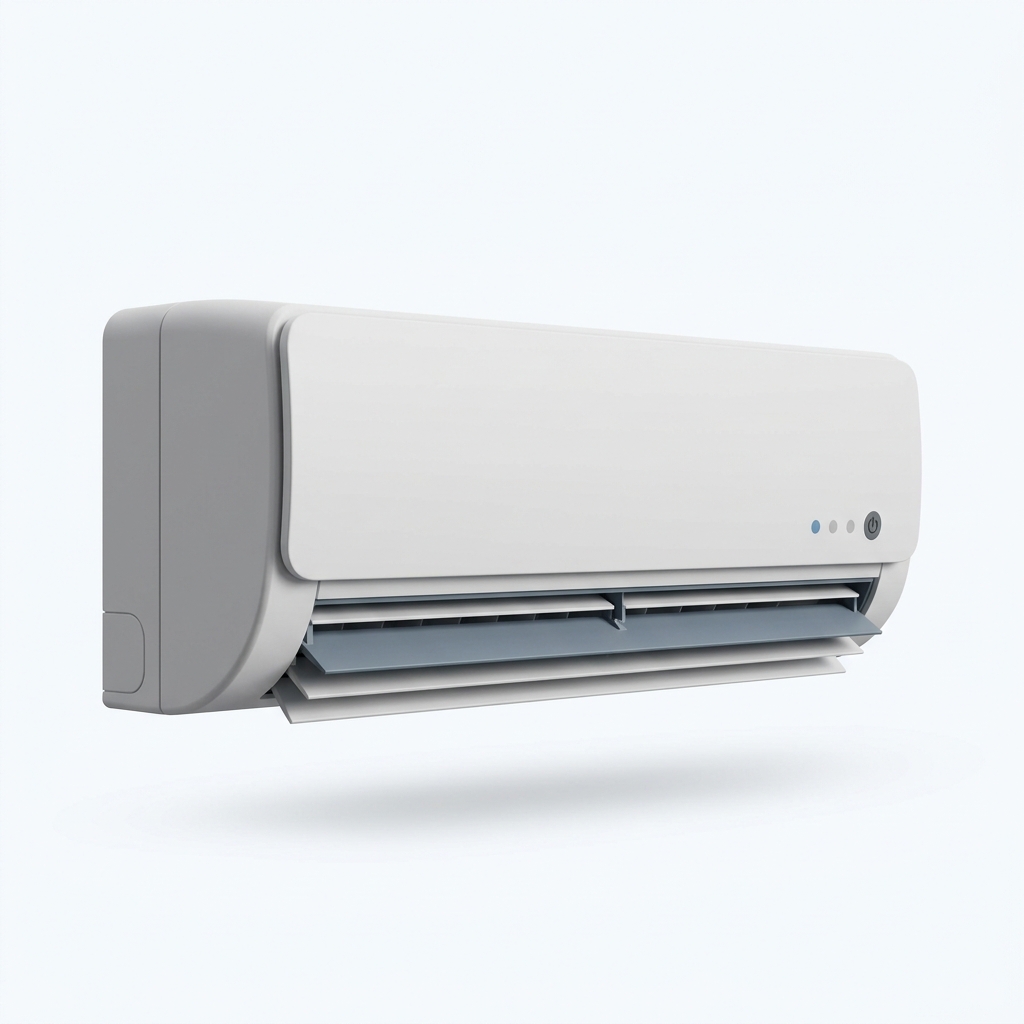
E1
How to Fix Samsung Air Conditioner Error E1
Error E1 indicates a failure in the indoor unit temperature sensor (thermistor), which prevents the air conditioner from reading room temperature accurately. The AC will not cool properly or may shut down entirely. This is a sensor-level fault requiring inspection and likely replacement of the sensor component.
Updated June 2026 · Cross-referenced with Samsung service manual
Indian context
In Bangalore, Hyderabad, and Mumbai, high humidity and monsoon moisture can corrode sensor connectors and degrade thermistor accuracy over 2-3 years. Hard water regions like Maharashtra and Tamil Nadu experience similar issues due to mineral deposits affecting indoor coil temperature readings. Samsung service centres across Delhi NCR and Pune report E1 errors spike during monsoon months when condensation enters sensor housings. Voltage fluctuations in NCR areas can also trigger false E1 codes. Before calling a technician, check if the indoor unit display shows extreme temperature readings or if the sensor wire near the evaporator coil shows visible moisture or loose connectors.
What error E1 means
Error E1 indicates a failure in the indoor unit temperature sensor (thermistor), which prevents the air conditioner from reading room temperature accurately. The AC will not cool properly or may shut down entirely. This is a sensor-level fault requiring inspection and likely replacement of the sensor component.
Why error E1 happens on a Samsung Air Conditioner
On a Samsung Air Conditioner, error E1typically resolves to one of three root-cause categories. They’re ordered cheapest-to-verify first — start at the top and only escalate if the first cause is ruled out.
- Mechanical: blockage, obstruction, or worn moving part. A common cause across Samsung Air Conditioners in India — air filters clog and fan bearings and drain lines collect dust and sludge. Our step-by-step fix below targets this category first because it’s the cheapest to verify and resolvereports.
- Electrical: voltage spike, sensor fault, or PCB anomaly. India’s grid carries more voltage fluctuation than many appliance design tolerances assume, and a routine surge or sag can be enough to throw E1. If you’ve had recent voltage events (lights flickering, AC tripping), start your investigation here. A working stabilizer prevents this entire category.
- Software / configuration: stuck child-lock, demo-mode, or pending firmware reset.Less common but the cheapest fix when it applies — a 60-second factory reset clears it. We list this last because it’s rarely the actual cause, but check it before disassembling anything.
Safety first
Step-by-step fix
- 1
Step 1
Power Cycle the Unit
Unplug the Samsung AC from the wall socket for at least 5 minutes. This clears temporary sensor communication errors. Plug it back in and observe if the E1 code clears.
- 2
Step 2
Check the Indoor Unit Display
Look at the temperature reading shown on the indoor unit's LED panel or remote. If it shows an unrealistic value (e.g., 99°C or negative), the sensor is faulty and needs replacement.
- 3
Step 3
Inspect the Sensor Connector
With the unit unplugged, carefully open the front panel of the indoor unit by unclipping the plastic cover. Locate the thin wire bundle near the evaporator coil. Check if any connectors are loose, wet, or corroded. Gently reseat any loose connectors by pressing them firmly into place.
- 4
Step 4
Check for Moisture or Condensation
Examine the sensor housing and nearby wiring for visible moisture, ice, or water droplets. If wet, allow the unit to dry in a warm, ventilated space for 2-3 hours, then test again. In monsoon regions, ensure your drainage pipe is clear.
- 5
Step 5
Verify Drainage and Airflow
Ensure the indoor unit's drainage hole is not blocked and the air filter is clean. Poor drainage can cause condensation to pool near the sensor. Clean the filter and clear any blockages.
- 6
Step 6
Contact Authorised Service Centre
If E1 persists after these steps, the temperature sensor (thermistor) has likely failed and must be replaced. Contact Samsung's authorised service centre in your city for professional replacement and calibration.
When to call a technician
- • E1 error persists after power cycling and connector inspection.
- • The indoor unit display shows impossible temperature readings (e.g., 99°C or negative values).
- • You notice visible damage, corrosion, or burnt smell near the sensor area.
- • The AC refuses to turn on or cool at all when E1 appears.
Fixed it? Protect it next time. See an extended warranty plan for your Air Conditioner →
Common mistakes Samsung Air Conditioner owners make with error E1
These six anti-patterns turn a routine 30-minute fix into a costly repair or warranty void. Read before starting.
- Forcing a stuck door, lid, or panel. Prising open a Samsung Air Conditioner housing while it is in a fault state. Forcing it usually breaks the latch or sensor — turning a small part replacement into a full service call. If the door won’t open, run the safety-disconnect step first, then try again.
- Repeated unplug-and-replug as a “reset” ritual. Cycling power three or four times without diagnosing the underlying cause stresses the PCB and can convert a soft fault into a permanent firmware-corruption code. Reset once, observe whether the error returns immediately, then move to actual diagnosis if it does.
- Pouring water (or any liquid) into electronics-adjacent areas to flush a blockage.Even a small amount near the PCB or main wiring harness can cause permanent damage that voids warranty. The unit’s drainage paths exist for a reason; if a blockage isn’t cleared by the manual procedure, it isn’t getting cleared by improvisation either.
- Skipping the safety-disconnect step.“I’ll just check quickly” is the most expensive sentence in appliance repair. Working live on a 230V circuit (especially with a hot or wet appliance) carries real shock risk and instantly voids any warranty claim. Disconnect, wait two minutes for capacitor drain, then proceed.
- Buying counterfeit replacement parts on Amazon.in. Red flags: price below 60% of Samsung authorised price, generic packaging without a model-compatibility list, seller name that doesn’t match a known Samsung parts distributor, listings dated within the last 30 days with no reviews. Counterfeit parts often work for 2-3 weeks then fail with a different error, costing you double.
- Calling an “independent” technician for a warranty-covered unit. Indian appliances under Samsung warranty must be serviced by authorised technicians or the warranty voids permanently. Even if the warranty is expired, third-party local technicians often replace working parts to inflate the bill — verify each part swap by asking to see the failure on the old part before they install the new one.
Preventing future E1 on your Samsung Air Conditioner
The fix above resolves the current instance. These five maintenance habits prevent it from coming back, specific to Samsung Air Conditioners in Indian operating conditions (hard water, voltage variability, monsoon humidity).
- Monthly: wash the air filters and clear the drain line. Hard-water deposits and everyday debris are a frequent cause of recurring E1 in India, and a few minutes each month is the cheapest way to avoid a repeat.
- Quarterly: descale water-touching components. Use food-grade citric acid or a Samsung approved descaler for hard-water regions (Bangalore, Hyderabad, large parts of Maharashtra and Tamil Nadu). Skipping this in a hard-water zone shortens the life of the heating and water-touching parts.
- Run the unit through a working stabilizer. A mainline stabilizer sized for Air Conditioners is the cheapest protection against voltage-induced E1 occurrences. The MCB on your distribution board is not a substitute — it trips on overload, not on under-voltage or surge.
- Decide AMC vs DIY honestly. Compare the SamsungAMC quote against what you have actually spent on service. If your unit is >5 years old and you’ve had two service calls in the last 18 months, an AMC usually pays for itself. Younger units with no service history: DIY plus stabilizer is cheaper.
- Watch monthly for early-warning signs. Unusual noise during a specific cycle phase, water spotting, mild burning smell — any of these means a service call within a week, not a wait-and-see month. Catching E1-precursor symptoms early turns a major repair into a routine maintenance visit.
If error E1 returns within 30 days of completing the fix above, escalate directly to Samsungauthorised service — repeat patterns within a month indicate a deeper fault (worn bearing, failing PCB, leak that wasn’t fully identified) that surface-level repair won’t resolve. Document the dates and circumstances of each occurrence; the service centre will use this to prioritize root-cause investigation.
Frequently asked questions
Does E1 mean my AC is broken forever?
No. E1 is a sensor error, not a compressor failure. In many cases, reseating connectors or drying moisture resolves it. If the sensor itself is faulty, replacement typically costs ₹1500-3000 at authorised centres.
Can I use my AC while E1 is showing?
Most Samsung ACs will not operate while E1 is active as a safety measure. Do not force the unit on. Troubleshoot or contact a technician.
Why does E1 appear more often in monsoon?
Monsoon humidity and condensation can corrode sensor connectors and cause false readings. Ensure your AC's drainage pipe is clear and the unit is not placed in a damp corner.
Is E1 covered under Samsung warranty?
Sensor failures due to manufacturing defects are typically covered within the warranty period. Contact your nearest Samsung service centre with your purchase receipt to confirm eligibility.
People also ask
What does E1 mean on Samsung AC?
Can I still run Samsung AC with E1 error?
How to replace Samsung AC temperature sensor?
Related repair guides
Editor’s take
Error E1 on a Samsung air conditioner is one of the more straightforward faults to diagnose and resolve at home. Most E1 cases stem from causes that a homeowner with basic tools can fix in under 30 minutes — no service call required. The 6-step process outlined above covers the most common root causes in order of likelihood, so you can work through them systematically rather than guessing. For Indian households, E1 has a seasonal pattern worth knowing. Hard-water mineral buildup accelerates through the dry winter months when municipal water TDS spikes, and then monsoon humidity compounds the problem by corroding connectors and seals that mineral deposits have already weakened. If you live in a hard-water zone — Bangalore, Hyderabad, Chennai, or parts of Maharashtra — and your Samsung air conditioner throws E1 between July and October, the root cause is almost certainly corrosion-accelerated wear rather than a one-off mechanical fault. A quarterly descaling routine and silica gel packets near the electronics housing can prevent most repeat occurrences. The boundary between DIY and professional service is clear for E1: if you have completed all 6 steps above and the error persists, or if the error returns within 48 hours of a successful fix, you are dealing with an internal component issue. The most common professional-service causes are E1 error persists after power cycling and connector inspection.; The indoor unit display shows impossible temperature readings (e.g., 99°C or negative values).. For units under warranty, always use Samsung's authorised service network — an independent technician's intervention, even a successful one, can void your warranty claim on future unrelated issues. For out-of-warranty units, get quotes from both Samsung authorised and a reputable independent technician; independent rates are usually lower, and for E1 specifically, the repair quality is comparable either way.
Same problem on other air conditioner brands
Error E1 on a Samsung air conditioner is a sensor fault. Other brands show the same fault under a different code — the diagnosis is similar:
Blue Star — Error F2 on a Blue Star split or inverter AC indicates a fault in the indoor coil temperature sensor — the thermistor clipped to the evaporator coil that tells the board how cold the coil is
Air Conditioner
Lloyd — Error E4 on a Lloyd split air conditioner points to an outdoor unit temperature sensor fault
Air Conditioner
Voltas — Error E1 on a Voltas split air conditioner indicates a fault with the indoor air temperature sensor
Air Conditioner
All Samsung Air Conditioner error codes
Every Samsung air conditioner fault we cover. Browse the full Samsung air conditioner hub or all Samsung guides.